Panasonic Media Center3.4.0
Publisher Description
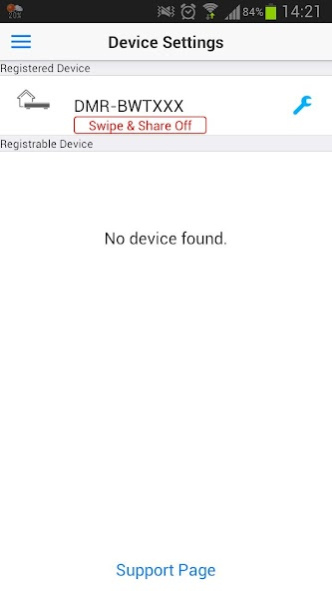
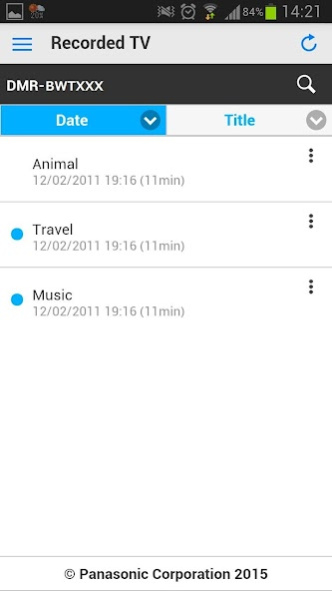

Panasonic Media Center brings you more viewing fun to your lifestyle. Through Panasonic TV / Blu-ray Recorders and this application you can enjoy your favourite TV programs on your Android smartphone or tablet (Android 4.0.3 or later is necessary), anytime, anywhere. We call this function "TV Anywhere/ TV Anytime".
If you connect your TV / Blu-ray Recorder to the intenet, you can set the timer recordings and enjoy live broadcast or recorded programs anywhere, so you won't miss any of your favourite TV programs any more.
Following features are available at home or on the go:
- Receive streaming of live broadcast reception from compatible TV / recorders
- Playback of recorded programs
- Set timer recordings
- Connect to TV with Swipe & Share (compatible model launched in 2015 year or later.)
- Playlist for watching later
Compatible models (sold separately)
- Panasonic Blu-ray Recorders launched in 2014 year's autumn or later.
- Panasonic TV launched in 2015 year or later.
To find out detail information, please refer to support page of Panasonic Media Center application.
For information on using this app, compatible models and feature or any trouble about this app, please visit the following support page.
http://panasonic.jp/support/global/cs/av/mediacenter/
Please understand that we will not be able to contact you directly even if you use the “Email Developer” link.
About Panasonic Media Center
The company that develops Panasonic Media Center is Panasonic Holdings Corporation. The latest version released by its developer is 3.4.0.
To install Panasonic Media Center on your Android device, just click the green Continue To App button above to start the installation process. The app is listed on our website since 2021-03-16 and was downloaded 122 times. We have already checked if the download link is safe, however for your own protection we recommend that you scan the downloaded app with your antivirus. Your antivirus may detect the Panasonic Media Center as malware as malware if the download link to com.panasonic.avc.diga.wwmoj is broken.
How to install Panasonic Media Center on your Android device:
- Click on the Continue To App button on our website. This will redirect you to Google Play.
- Once the Panasonic Media Center is shown in the Google Play listing of your Android device, you can start its download and installation. Tap on the Install button located below the search bar and to the right of the app icon.
- A pop-up window with the permissions required by Panasonic Media Center will be shown. Click on Accept to continue the process.
- Panasonic Media Center will be downloaded onto your device, displaying a progress. Once the download completes, the installation will start and you'll get a notification after the installation is finished.
Program Details
System requirements
Download information
Pricing
Version History
version 3.4.0
posted on 2021-03-17
Bug fixes
version 3.3.0
posted on 2018-05-24
End User License Agreement and Privacy Policy updated.
version 3.2.1
posted on 2016-07-20
Bug fixes and improvements.
